
The short answer: what 'ChatGPT recommends you' actually means
A client tells you they found you on ChatGPT. A competitor says they are “ranked in AI”. Now you want to know where you stand. The real question is this: when a buyer asks an AI assistant who to hire, are you named as a suggested choice? That is not the same as being one of ten names, being cited as a source link, or being described correctly when someone asks about you by name.
ChatGPT has no ranking position. Answers change from one run to the next, and they also depend on the account, the location, the model and whether search is on. One screenshot proves nothing. Below is the manual check I run before any AEO work. You use 10-15 buying prompts, clean sessions, 3 runs per prompt and one scoring sheet, then you trace each result back to the source behind it. The core of it takes about 30 minutes.
AI answers are one of the four places a customer looks for you. The other three are Google Search, maps and reviews, and Ads. When you do badly in ChatGPT, the cause is usually the same one that holds you back in one of the other three.
By Dmitrii Dmitriev, in digital marketing since 2008.
Before you test: set up a clean session and decide what to record
Start with a clean session, because your own chat history is the most common reason ChatGPT seems to “recommend you on my phone”. Use a temporary chat or a logged-out browser, and turn memory and custom instructions off.
Location: set it to where your customers are, not where you are
ChatGPT search works out your location from your IP address and account settings. Run the test from the market you serve. If you run a Dubai business from Europe, use a VPN or ask a colleague in Dubai, and name the city in the prompt as a control.
Search on vs off: run both and label them
With search on, ChatGPT looks things up on the live web and shows its sources. With search off, it answers from what the model already knows, which comes from older training data. The two modes give different answers for different reasons, so label every run.
What to record for every run
Copy these fields: date · tool · model name shown · search on/off · device and account state · location · exact prompt · businesses named, in order · links cited · were your facts correct (yes/no, what was wrong)
Step 1: Build a prompt set your customers would actually type
Write the prompts the way buyers talk, not the way marketers write. Take the wording from calls, emails, Google Search Console queries and the text of your reviews.
Six prompt types
- Category: “best emergency plumber in Austin”
- Local: “dentist near me open on Saturday”
- Comparison: “[Firm A] vs [Firm B] for a divorce lawyer”
- Problem: “my AC is leaking water, who should I call in Dubai Marina”
- Brand: “what do you know about [brand]”
- Objection: “is [brand] expensive” or “is [brand] reliable”
How many prompts are enough
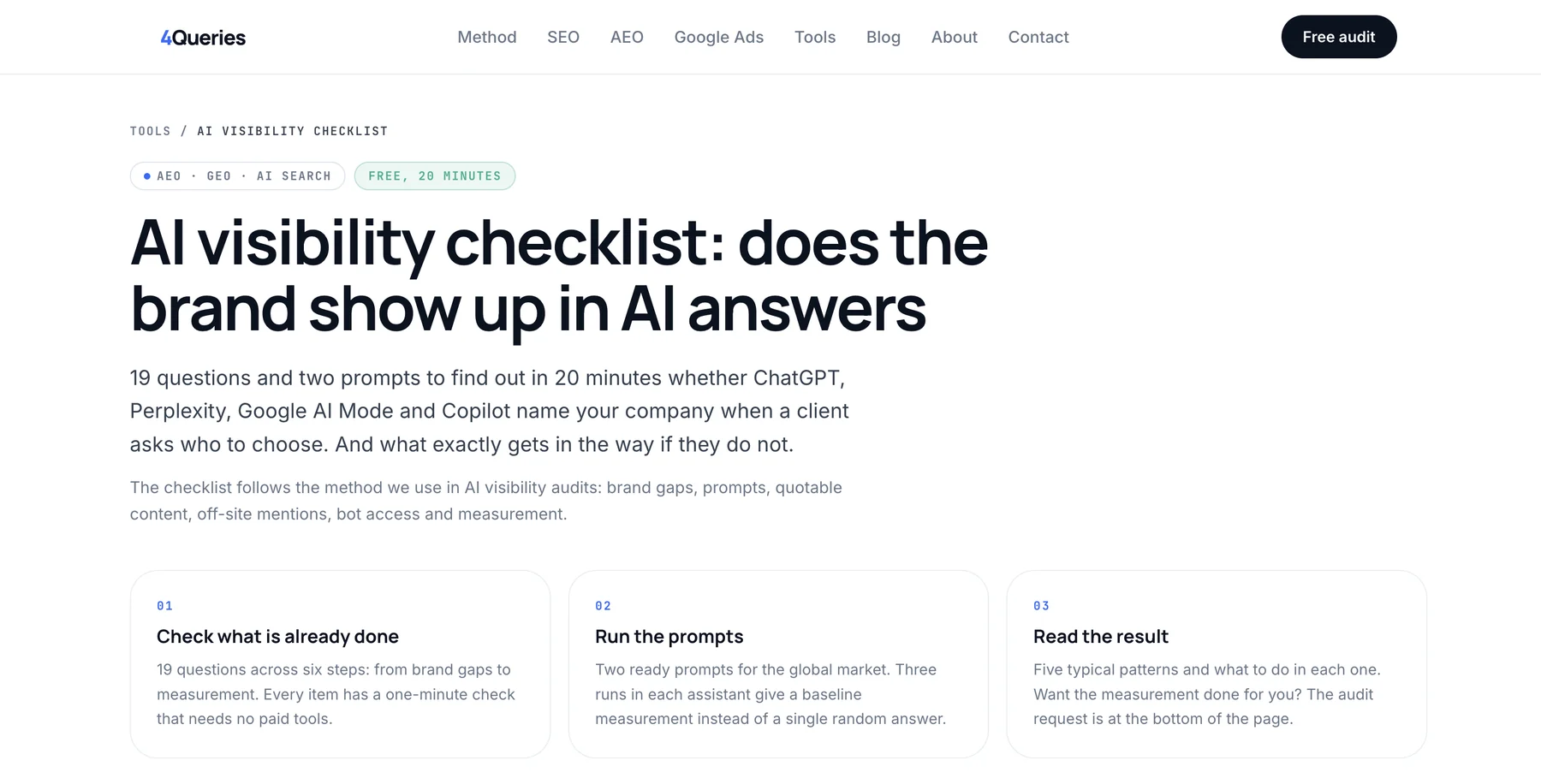
Aim for 10-15 in total. Most should be category, local and problem prompts, plus 2-3 brand and objection prompts. For fill-in templates, use the free AI visibility checklist.
Step 2: Run each prompt 3-5 times in ChatGPT and log the results
Run each prompt at least 3 times, and 5 times for the ones that matter most. ChatGPT writes a new answer every time instead of looking one up, so the names and their order change between runs. Showing up in 1 of 5 runs is a very different position from showing up in 5 of 5.
Open a new temporary chat for every run, because follow-up questions in the same thread bias the answer. Record which businesses were named, in what order, how they were described (“top choice” or “also consider”) and which links were cited. By my estimate, 12 prompts × 3 runs takes about 20-25 minutes in one tool. It is still a small sample. It shows you a pattern, not your market share.
Step 3: Repeat in Perplexity, Google AI Overviews and AI Mode, Gemini and Copilot
Run your main prompts in the other assistants too. Each one draws on different data, and the places where you appear in one but not another tell you where to look. |
| Tool | Draws on | What to watch for |
|---|---|---|
| ChatGPT search | Live web through third-party providers; OpenAI's documentation names Microsoft and Bing among them | Which sources it cites |
| Perplexity | Live web, with sources shown prominently | The easiest way to see which pages drive an answer |
| Google AI Overviews and AI Mode | Google's index | Closely follows Google Search and Business Profile data |
| Gemini | Google ecosystem | Whether Maps listings show up |
| Copilot | Bing | Also works as a quick check of the Bing index |
If you show up in Google's AI answers but not in ChatGPT and Copilot, look at Bing. If you are missing everywhere, look at your reviews, mentions and service pages.
Step 4: Ask what ChatGPT knows about your business by name and check every fact
Ask about your business by name: what it does, where it is, prices, hours, specialists and reputation. Then check every claim. Look for a wrong address, a closed branch, old prices, a mix-up with a business that has a similar name, or services you don't offer. Wrong facts are often more urgent than being missing, because a customer may act on them. Find where each wrong fact comes from. It is usually an old directory listing, an outdated page on your own site, an old press article, or a name, address and phone number (NAP) that don't match across listings.
Step 5: Look at the sources it cites for your category: those are the places to be
The pages an assistant cites for your category are the pages you need to be on. With search on, collect every URL cited in your category and local prompts and sort them by type: competitor sites, directories and associations, review platforms, “best X in [city]” lists, Reddit and forums, and news. Count which domains come up again and again across runs and tools. Then check whether you are on those pages and how they describe you. This is the step that turns “are we in?” into a work plan.
How to score your results: recommended, listed, cited, missing, wrong
Give every run one of five outcomes, then read the results by prompt type.
The five outcomes
- Recommended: named as a top or suggested choice.
- Listed: named among several businesses, with no emphasis.
- Cited: your site or profile is used as a source, but another business is the pick.
- Missing: not mentioned at all.
- Wrong: mentioned with incorrect facts, or confused with another business.
A simple scoring sheet
| Prompt | Type | Tool | Run | Search | Outcome | Named instead |
|---|---|---|---|---|---|---|
| best dentist in Austin | Category | ChatGPT | 1 | On | Listed | Clinic A, Clinic B |
For each prompt type, add up the share of runs where you were recommended or listed. If you do well on brand prompts but are missing on category prompts, the assistants know you exist but don't connect you with the service. The “named instead” column is the most useful thing the whole check produces.
Technical check: robots.txt, Cloudflare, Bing indexing and server logs
Check access before content. If the assistants can't reach your pages, nothing else matters.
robots.txt: know which OpenAI bot does what
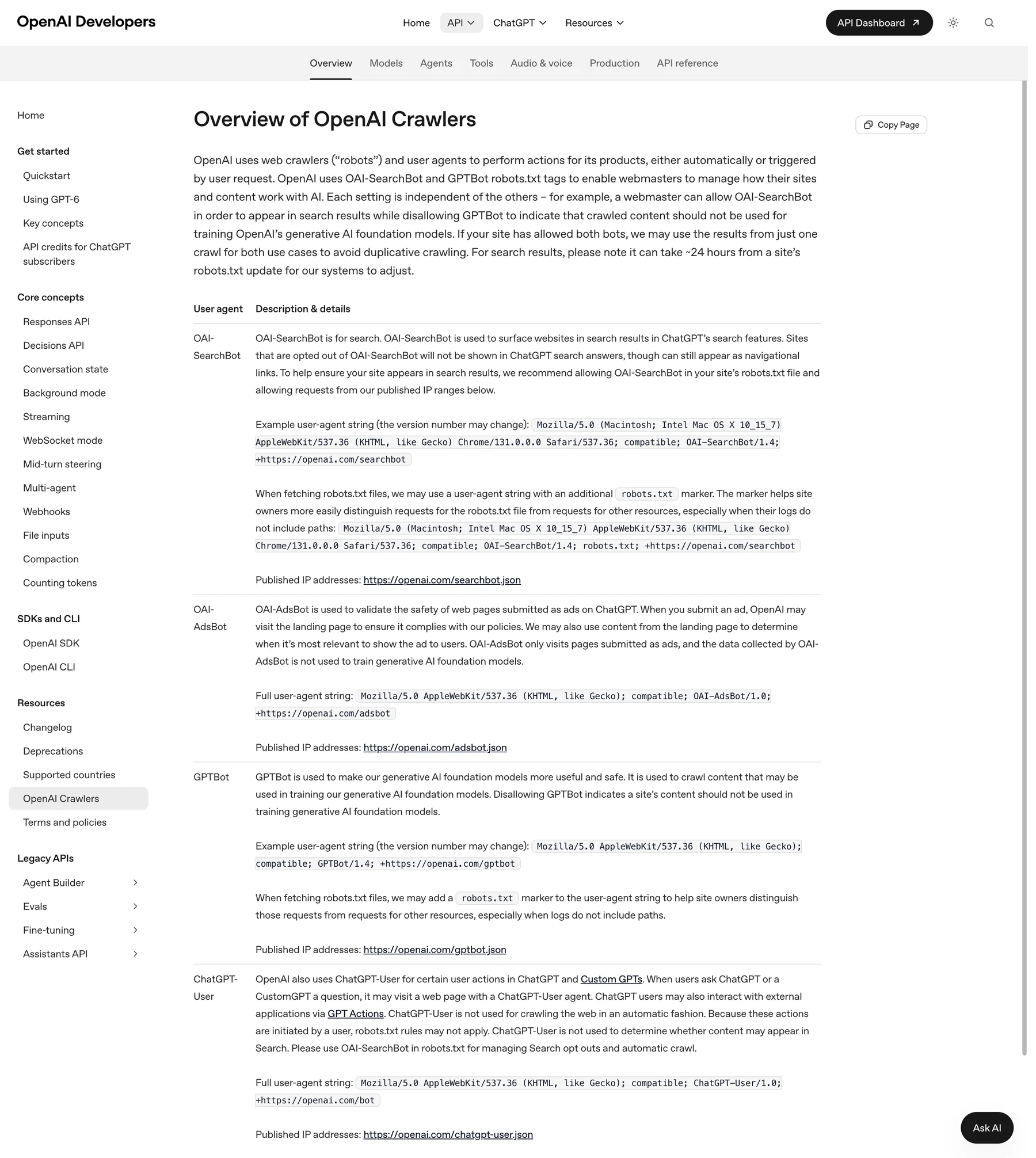
OpenAI documents separate crawlers for different jobs, and three of them matter here. GPTBot collects training data. OAI-SearchBot is used for ChatGPT search. ChatGPT-User fetches pages when a user's request triggers it. Blocking GPTBot alone won't remove you from search answers. Blocking OAI-SearchBot can.
Cloudflare and firewall bot blocking
Cloudflare can block AI crawlers through its AI bot settings, and its defaults for new domains changed on September 15, 2026: bots classed as training or agent bots are blocked on pages that show ads, while search bots stay allowed. Other web application firewalls (WAFs) and bot protection rules may block them too. Look at the actual setting instead of assuming.
Bing Webmaster Tools
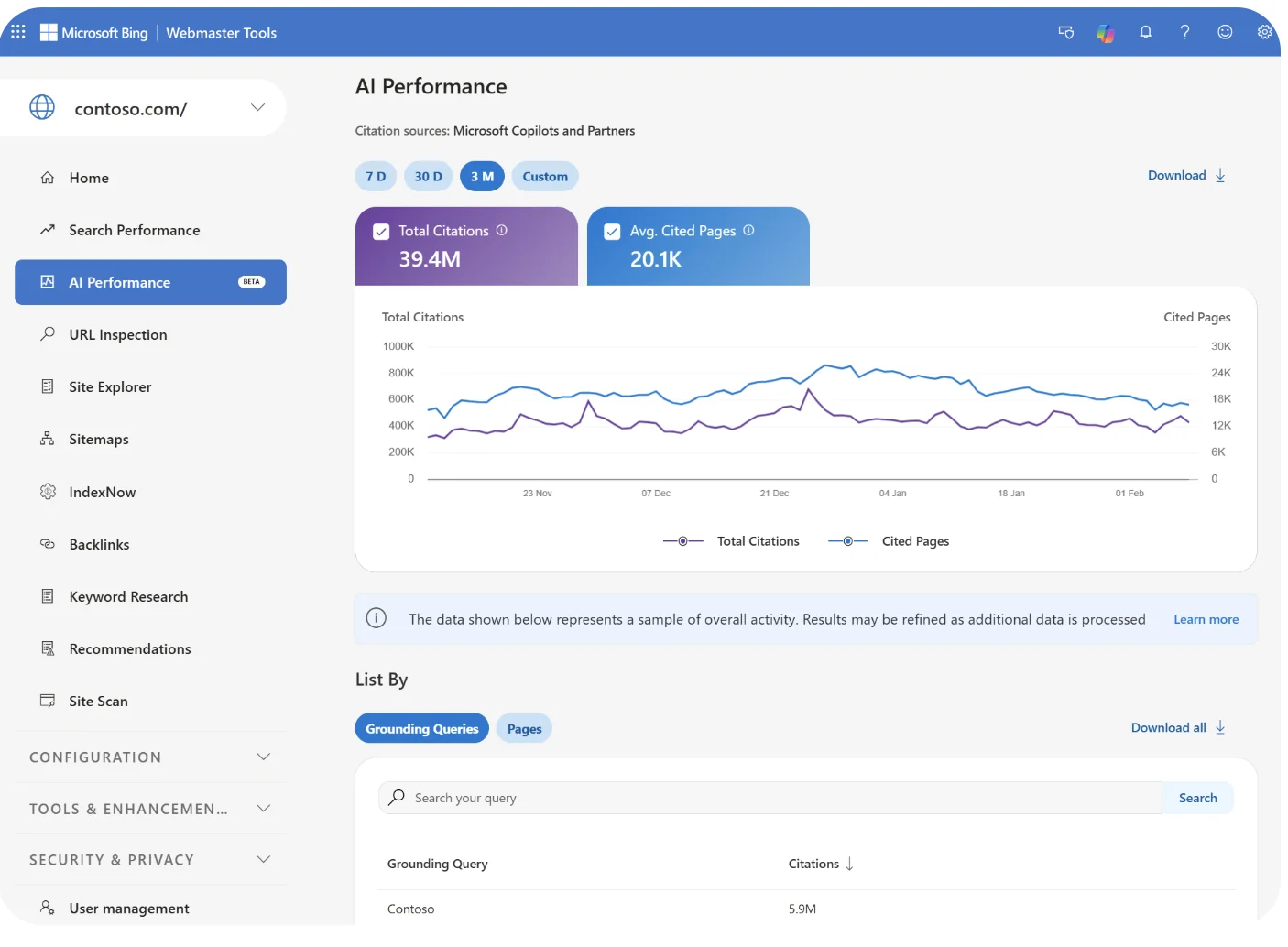
Confirm that your key service and location pages are indexed, and submit your sitemap. Its AI Performance report (public preview since February 2026) shows how often your pages are cited in Microsoft Copilot, AI summaries in Bing and some partner integrations. It counts citations, not search impressions.
Server logs: are AI bots visiting at all?
Search your server or CDN logs for GPTBot, OAI-SearchBot, ChatGPT-User and PerplexityBot. Google-Extended is a robots.txt control token with no user agent string of its own, so you won't find it in your logs. Google's existing crawlers, such as Googlebot, do the actual fetching. Also make sure your key content is in the HTML itself, not loaded only by JavaScript in the browser.

Measuring real impact: AI referral traffic in GA4
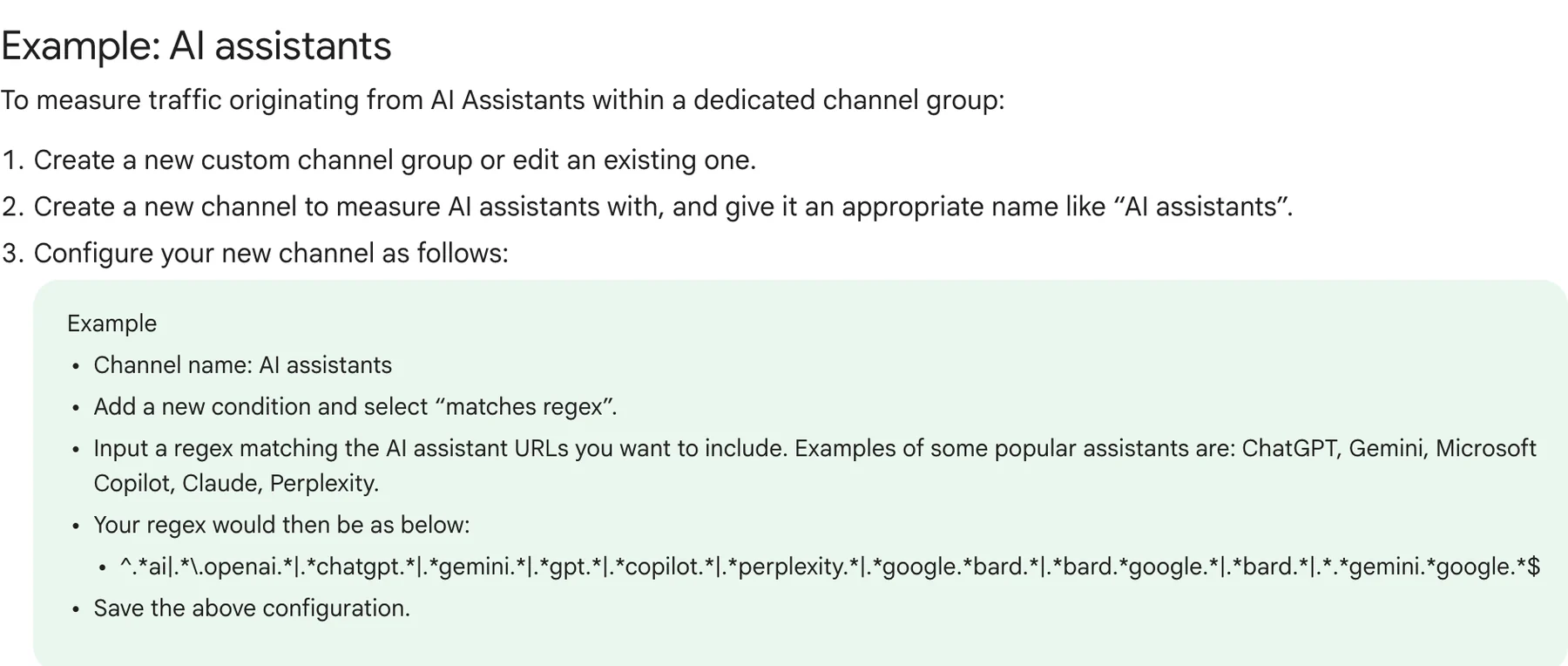
GA4 shows you the clicks, not the full influence. In Traffic acquisition, filter by session source for chatgpt.com, perplexity.ai, gemini.google.com and copilot.microsoft.com. Save these as a custom channel group so you can follow the trend; Google's GA4 help includes an “AI assistants” channel example. Not every AI click arrives with a referrer or campaign tag, so some of this traffic lands in Direct. Traffic from Google AI Overviews and AI Mode is mostly counted as Google organic. Many buyers who were influenced by AI never click at all: they call, search for your name or walk in. Add an AI option to “How did you hear about us?”, listen for it on calls, and watch branded queries in Search Console.
Why competitors get named instead of you
Competitors get named when the sources the assistants rely on say more about them than about you. These are the usual causes:
- Reviews: more of them, more recent, and naming the specific service.
- Google Business Profile: wrong primary category, missing services, or a NAP that doesn't match your other listings.
- Directories and lists: they are on the pages that get cited and you are not.
- Third-party mentions: local press, associations, Reddit, partner sites.
- Unclear service pages: one generic page for everything, no page per service and location, no prices or service area.
The longer explanation is on our AEO page.
What to fix first, by result type
Fix things in the order your outcomes point to, and always start with anything that is wrong.
| Outcome | Likely cause | First fix |
|---|---|---|
| Wrong | An outdated source | Correct your site, your Google Business Profile and the top directories |
| Missing everywhere | Blocked access or weak pages | Check robots.txt, bot blocking and indexing first, then service and location pages, then reviews |
| Missing in ChatGPT and Copilot only | A gap in Bing | Bing indexing and Bing Places |
| Listed, not recommended | Not enough proof | More detailed reviews, credentials, prices, a place on the lists that get cited |
| Cited, not named | Weak brand signals | The same business name everywhere, a clear About page, Organization/LocalBusiness schema |
Most of these fixes also help in Google Search and maps. That is why it pays to look at all four places together.
Local businesses in the US, UAE and Europe: why location changes the answer
Run the same prompt from a different city and you get different businesses, so always test from the market you serve.
US: review platforms and 'near me' prompts
A 2026 BrightLocal study of local AI answers in the US, UK and Australia found Yelp, BBB and Angi among the directories cited regularly, alongside industry directories that vary by type of business. Which ones matter differs by platform and niche, so check which of them are actually cited in yours.
UAE: English and Arabic prompts, and district-level location
Buyers ask by district: Dubai Marina, JLT, Business Bay. Test in both English and Arabic, because the answers and the sources can differ.
Europe: language per market and local directories
A business that shows up in English may be missing in German, Italian or French. Write prompts natively in each language your customers use. Don't machine-translate your English set.
How often to re-check and track change
Run the same prompt set once a month with the same setup, and again after any big change: a new service page, a Google Business Profile update, a push to get into directories, or a site migration. In our experience, search-on answers can change within weeks of a page being indexed. What the model knows with search off only changes when a new model ships. Note model releases in your log, and judge the trend over several months, not single runs.
What tools and scanners can and can't tell you
Scanners run prompts at scale through APIs and track mentions over time, which saves manual work. But answers through the API can differ from what people see in the app, the prompt sets are often generic, and a single “AI visibility score” hides what it is based on. Ask any tool which prompts it runs, from which location, with search on or off, how many runs it does and which model it uses. No tool can see what a particular customer was shown, and nobody can guarantee that you will be recommended.
Want a second pair of eyes? The free express 4Queries audit
If you would rather not run this yourself, or you want it checked against the other three places, the free express 4Queries audit covers Google Search, AI answers, maps and reviews, and Google Ads in your main market. It shows who takes the client instead of you and comes as a written report with what to fix first. Pricing is fixed: the full audit is $190, and SEO, AEO or Google Ads cost $990 a month each.
FAQ
Why does ChatGPT recommend me on my phone but not on my colleague's laptop?
Usually it's your own history. Memory, past chats and logged-in personalization push the answer toward a business you have asked about before. The location, model, search setting and normal run-to-run variation can also differ between the two devices. Test in temporary chats from your customers' location, as described in the setup section.
Does ChatGPT use Google or Bing to find local businesses?
ChatGPT search uses third-party search providers, and OpenAI's documentation names Microsoft and Bing among them. It also uses OpenAI's own crawler, OAI-SearchBot, and partner data. OpenAI does not list Google as a provider, and it does not publish its full list. Because Bing is a documented provider, Bing indexing and Bing Places matter. Google AI Overviews and AI Mode use Google's index and Business Profile data.
Should I test with ChatGPT search on or off, and what's the difference?
Test both and label each run. With search on, you get live results with citations, and in our experience they can respond to your fixes within weeks. With search off, the answer comes from training data and changes only when new models ship. For local buying questions ChatGPT usually turns search on by itself, so give search-on results more weight.
How many prompts and runs do I need before the result means anything?
A practical minimum is 10-15 prompts covering the six types, run 3 times each per tool and 5 times for your most important prompts. Read the result as a pattern, such as “named in 9 of 12 runs”, not as a precise figure. Keep the same set every month so the months can be compared.
Do Google reviews and my Google Business Profile affect whether ChatGPT recommends me?
For Google's own AI they matter most: a 2026 BrightLocal study found Business Profile was the main source for local answers in AI Overviews and AI Mode, and Gemini can use public information from Google Maps. For ChatGPT the link is indirect: your ratings and review text often reach it through the directories and sites it cites, and a NAP that matches everywhere helps. There is no published evidence that they are a direct ranking factor in ChatGPT.
How can I see if people actually come to my site from ChatGPT?
In GA4, look for chatgpt.com, perplexity.ai, gemini.google.com and copilot.microsoft.com as traffic sources, and group them into an AI channel. Not every AI click carries a referrer or campaign tag, so some of it shows up as Direct. Add an AI option to your intake form and your call tracking too, because many visits are never attributed and clicks from AI Overviews are counted as organic.
If I block GPTBot, will ChatGPT stop recommending me?
Not on its own. GPTBot is OpenAI's crawler for training data. ChatGPT search relies on OAI-SearchBot, and ChatGPT-User handles fetches that users trigger. What can keep you out is blocking OAI-SearchBot, or blocking all bots in Cloudflare or another firewall. Check your robots.txt and your firewall rules separately.
Can I pay to get recommended by ChatGPT?
You can't buy a guaranteed place in ChatGPT's organic recommendations, so be wary of anyone who promises guaranteed AI rankings. What you can pay for is the work that influences answers: pages, reviews, listings and mentions. Ad products inside AI assistants are new and still changing, so check where they stand today instead of relying on older claims.
How long after fixing things will ChatGPT start mentioning my business?
In our experience, search-on answers can change within a few weeks of the fixed pages being crawled and indexed, especially in Bing. Reviews and third-party mentions take months to build up. What the model knows from training data changes only with new model releases. Re-check monthly with the same prompt set, and be cautious about anyone who promises a timeline.
Are AI visibility scores from scanner tools accurate?
They are useful for spotting trends, but they are not the full picture. Answers through the API can differ from what people see in the app, and the location, search setting, choice of prompts and number of runs all change the score. Ask the vendor how they measure, and compare their numbers with your own manual check before acting on a single score.
Does the answer change if my customer asks in Arabic, German or Italian instead of English?
Often, yes. Each language pulls from different sources and local directories, so a business that shows up in English can be missing in German or Arabic. Test in every language your customers use, with prompts written natively, and make sure your site and listings exist in those languages.
What to do this week
- Turn memory off, open a temporary chat and set your location to your customers' market.
- Write 12 buying prompts across the six types.
- Run each one 3 times in ChatGPT and once each in Perplexity and Copilot, then score every run.
- Check your robots.txt, your Cloudflare bot settings and your Bing indexing.
- List the domains cited most often for your category and the competitors named instead of you.
If you would rather have someone else run the check across all four places, request the free 4Queries audit.