PMS: self-hosted project management
Built for an agency that runs dozens of client projects at once. Light Scrumban without Jira weight: tasks, statuses and backlog per project, including from AI agents that file and close tasks through the CLI and REST API. Projects that sell get lead pipelines and payment tracking. Deploys with one Docker command, data stays on your server. Open code, MIT license.
Everything for operational control of projects
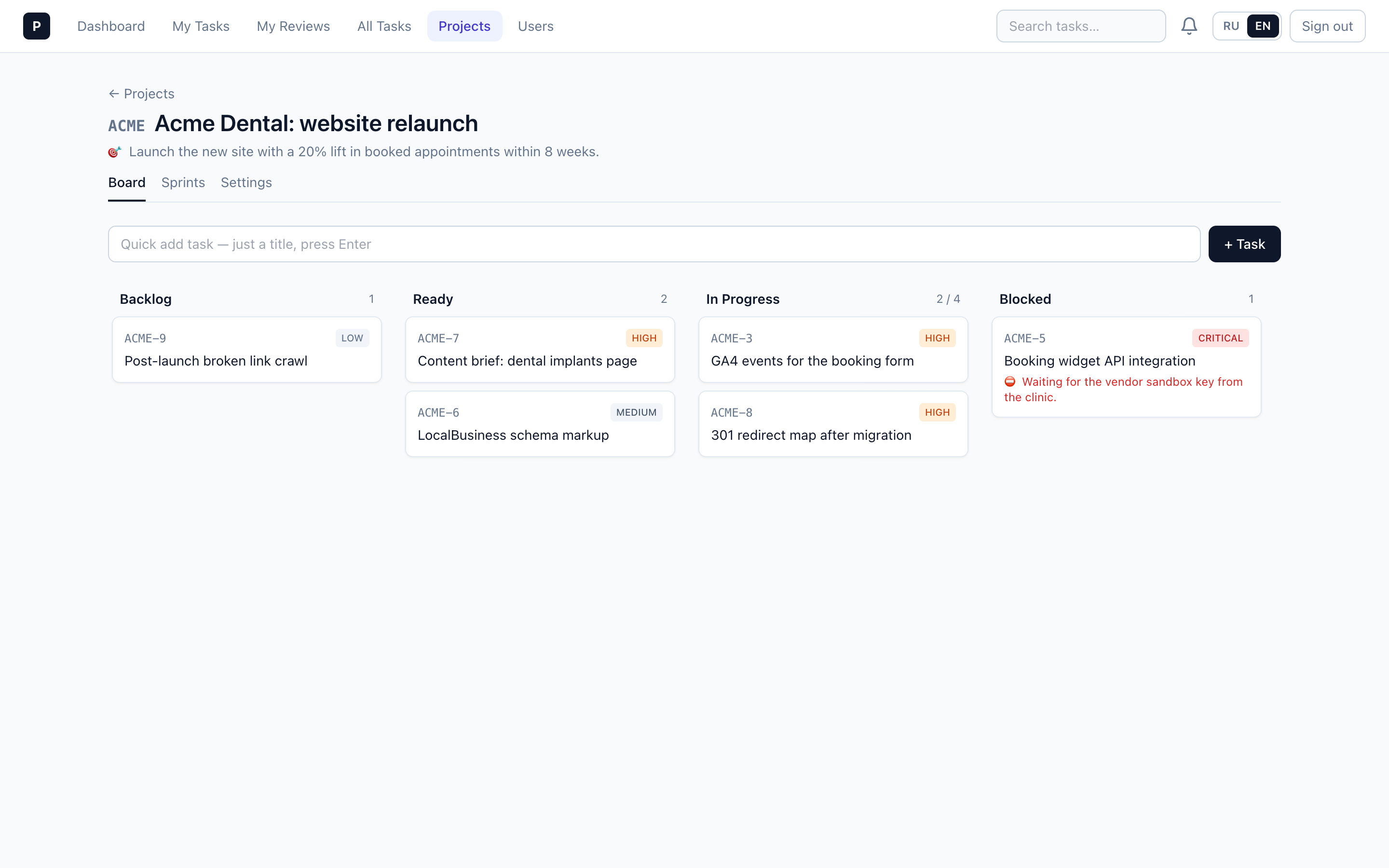
Kanban + Scrumban
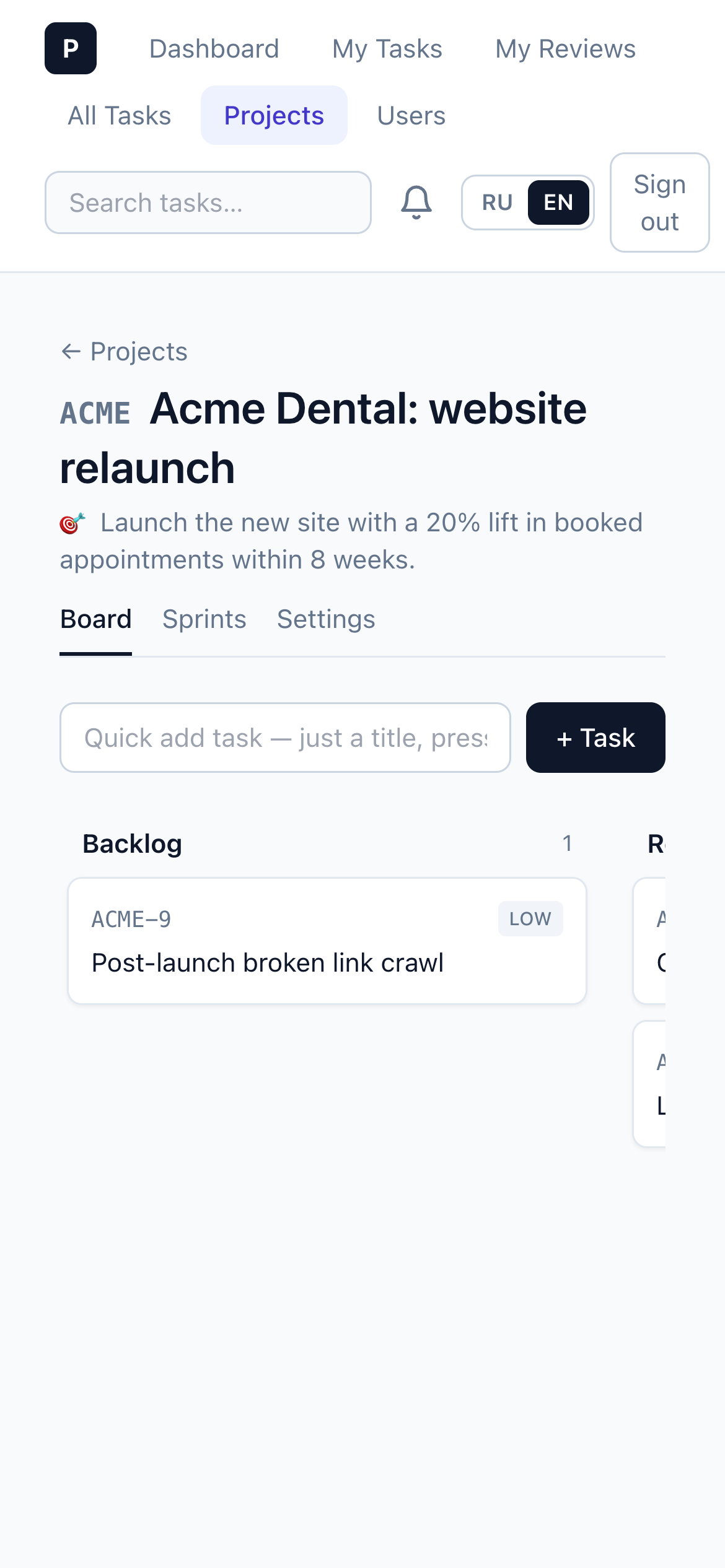
Custom status columns per project, drag and drop, soft WIP limits, fractional task order without reindexing.
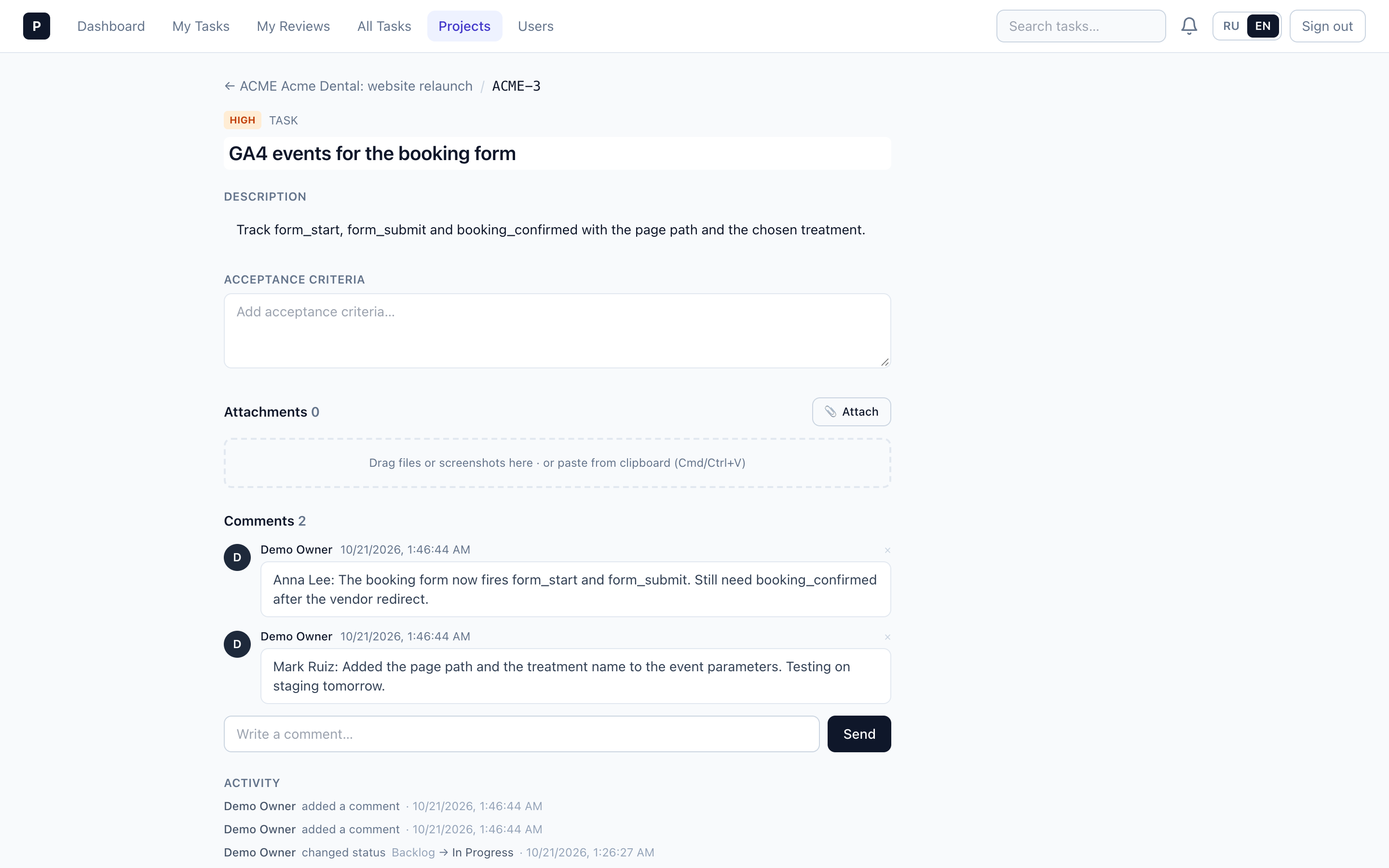
Keys, review, history
Human-readable CODE-N keys, priorities, assignee and reviewer, acceptance criteria, comments and an append-only activity log.
Sprints and initiatives
Short sprints with a goal and stats, start/finish with open tasks rolled over, initiatives with progress, a prioritized backlog.
Portfolio dashboards
Health per project, open/overdue/blocked/review counters, my tasks and my reviews, a cross-project list with filters.
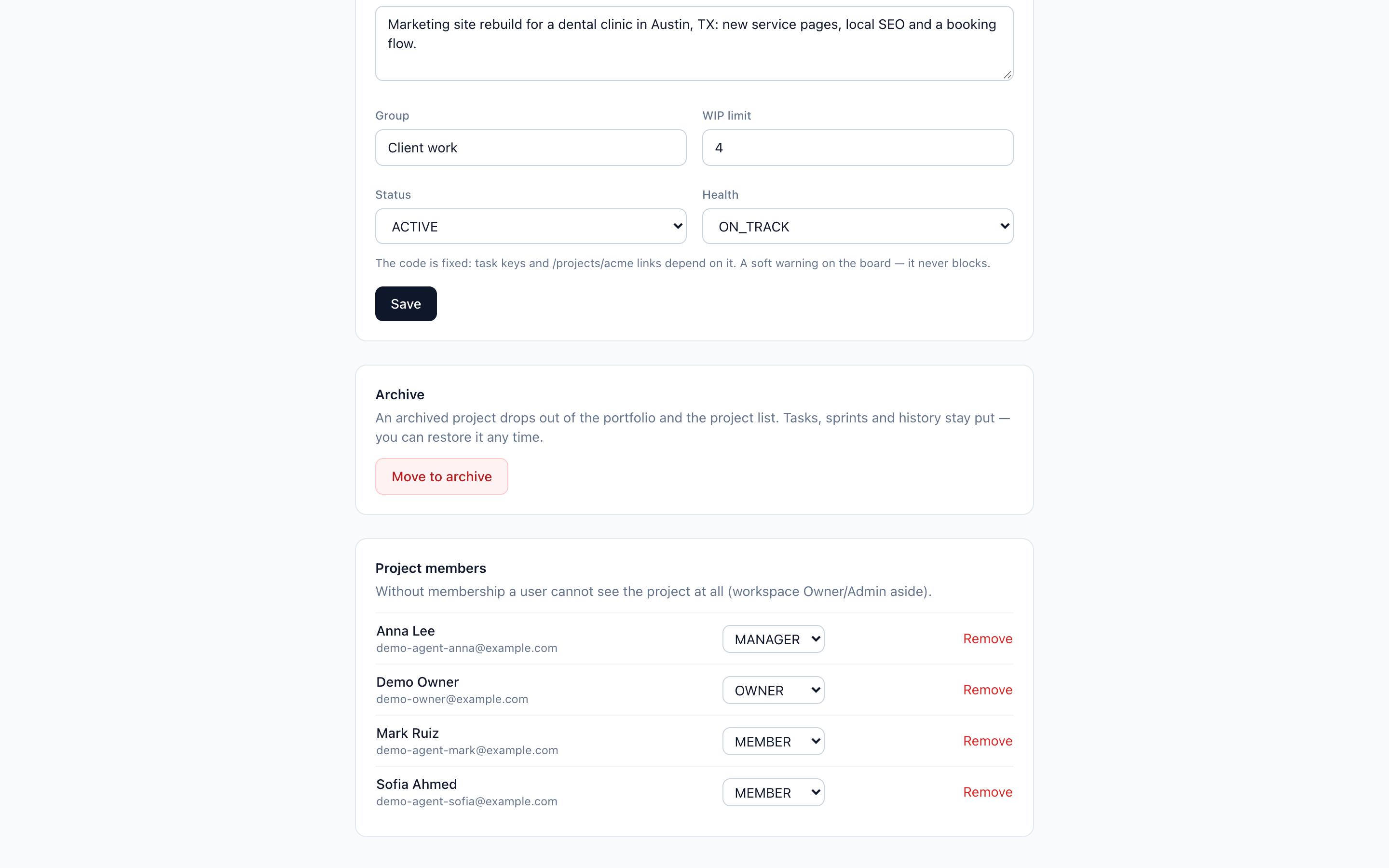
Roles and permissions
Two-level RBAC (workspace roles plus project roles). All checks on the backend. No project access, no project visible at all.
Leads and pipelines
Enabled per project: your own stages and fields, board and table views, a journal per lead, conversion by stage and source. Site form leads arrive automatically, no duplicates.
Contracts and payments
Contracts and payments per project: expected, invoiced, paid. Cashflow calendar and forecast, overdue is calculated for you. Amounts are visible to managers only.
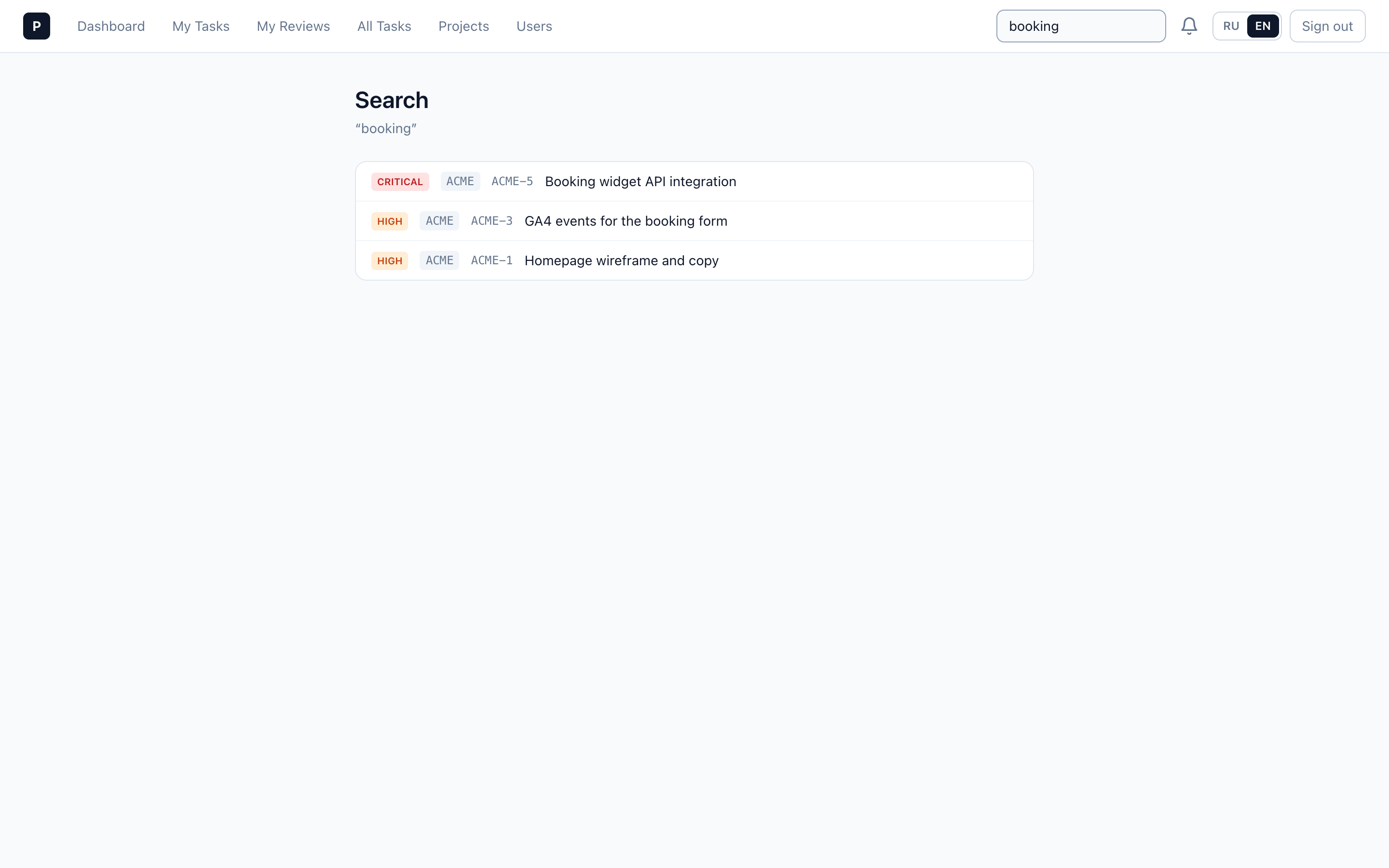
Notifications, search, i18n
In-app notifications for assignments and reviews, cross-project search across tasks and comments, interface in Russian and English.
Our PMS runs itself: the PMS project inside PMS
Frames from a working agency installation. The interface is in English; Russian is one button away in the header.
Lead pipelines where they are needed
A lead in PMS is not a task; it is its own card with its own pipeline. The module is switched on per project: for agency sales, for site orders, for any lead stream. Other projects do not see it.
Your pipeline
Ready-made stage sets for Sales and Orders, or your own. Every stage carries meaning: in progress, won, lost. A loss cannot be closed without a reason.
Your fields
Budget, website, niche, submission date, source, what the business needs: text, number, amount, date, list, phone, email, link.
Journal and tasks
Every action on a lead goes to the journal. When a lead needs work (audit, proposal), a task is created from it with a two-way link.
Lead intake
Site forms and portals post leads by project token, no login. A repeat of the same lead does not create a duplicate and extra fields are kept.
Stats
How many leads sit at each stage and how many passed through it, conversion by source, amounts in progress and won, average time to close.
For AI agents
An agent creates a lead, moves it along stages and writes to the journal through the same CLI and API it uses for tasks.
# lead from a site form: only the project token is needed
curl -X POST https://pms.example.com/api/ingest/leads \
  -H "X-Lead-Token: $LEAD_TOKEN" -H "Content-Type: application/json" \
  -d '{"source": "site", "external_id": "form-4812", "contact_name": "Alex",
"phone": "+1 555 000-0000", "data": {"budget": 500}}'Tasks and backlog your AI agent can see
Every project is a board and backlog that not only people but also an AI agent works with. Through a compact CLI (Python standard library only) and the REST API the agent files a task for what it is doing, updates status, leaves comments and closes it, while you get one live log of work across every client and build monthly reports from it.
pms.py list --project ABC --status backlog     # what is in the client's backlog
pms.py add --project ABC --title "Fix site forms" --priority HIGH
pms.py status ABC-42 "In Progress"
pms.py comment ABC-42 "deployed, awaiting review"
pms.py done ABC-42                              # closed, lands in the report
pms.py lead stage ABC-L-7 "Negotiations"        # lead moves along the pipeline
pms.py lead stats --project ABC --from 2026-10-01
One command to launch
Docker is the only requirement. The backend applies migrations on start, then you create the first administrator and workspace.
git clone https://github.com/trendbender/pms.git
cd pms
cp .env.example .env          # set JWT_SECRET and the DB password
docker compose up --build     # migrations run automatically
docker compose exec backend python -m app.cli seed   # first Owner + Workspace
Frontend on localhost:3000, API and OpenAPI docs on localhost:8000/docs.
Self-hosted
Everything runs on your server. No external SaaS subscription, no data handed to a third party.
Open code
Read it, fork it, adapt it. The MIT license allows commercial use.
Simple architecture
A modular monolith: easy to deploy, maintain and extend. One compose stack.
Want PMS set up for your processes?
We deploy PMS on your server, shape statuses and roles around your team and adapt it to your business tasks. Send a request and we will talk.
Get a free 4Queries audit